
What the Lights on Your Ember Mug 3 MeanUpdated a month ago
Ember Mug 3 has a main status light below the Ember logo, plus a row of five small lights below it. Here's how to read them.
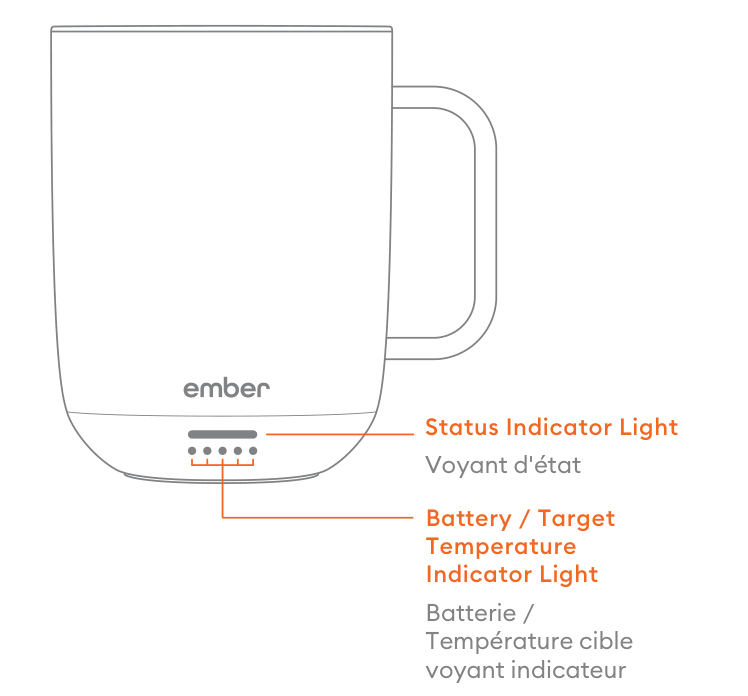
The main status light
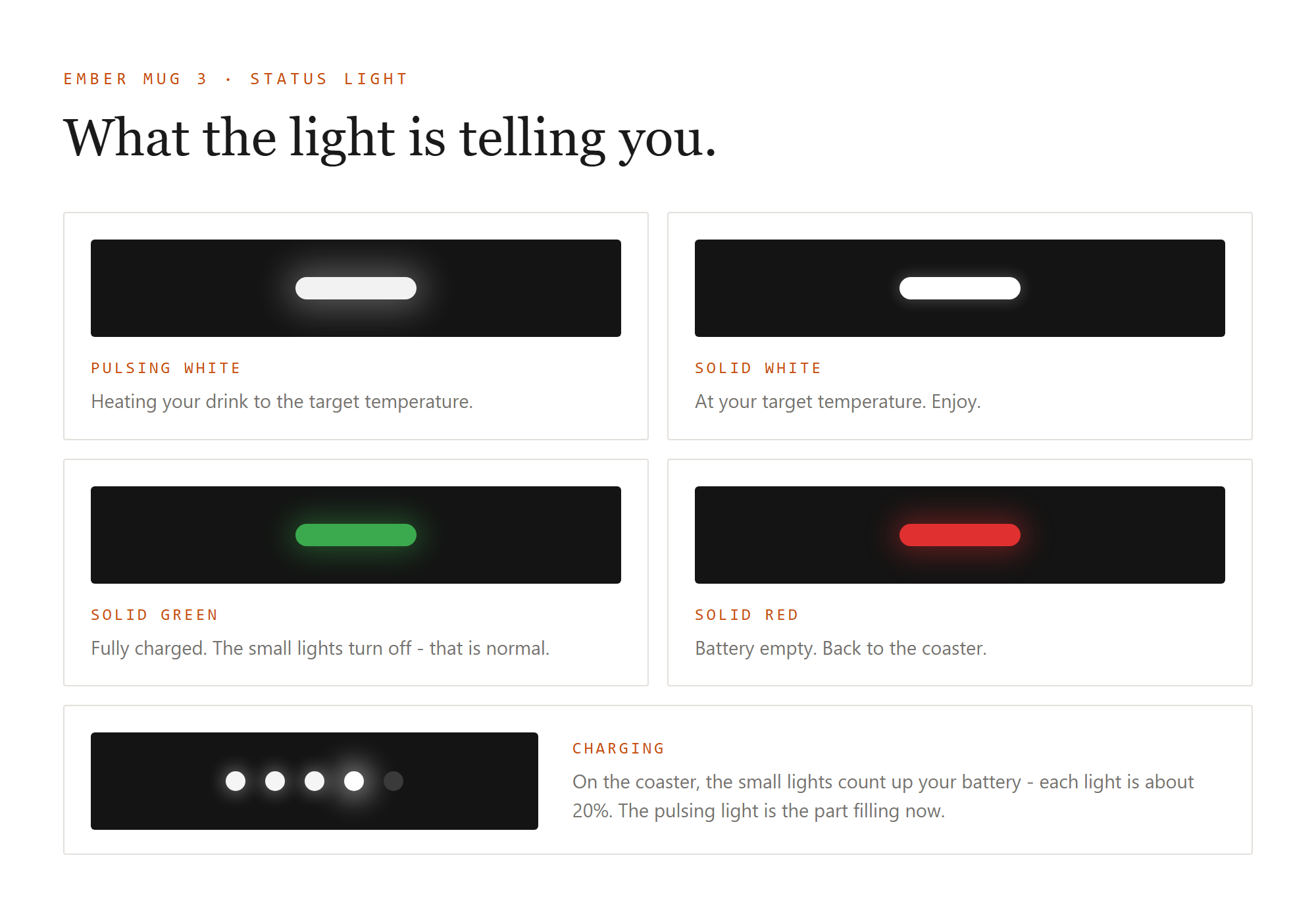
- Pulsing white: your mug is heating your drink to the target temperature.
- Solid white: your drink has reached its target temperature. Enjoy.
- Solid green: your mug is fully charged (you'll see this on the coaster).
- Solid red: the battery is empty. Place your mug on the coaster to charge.
- Blinking blue: pairing mode. Your mug is ready to connect to the Ember app.
- Blinking yellow: factory reset in progress.
The row of small lights
The small lights do two jobs, depending on what your mug is doing:
When you tap the button: they show your temperature setting. One light is the lowest preset (125 F) and five lights is the highest (145 F).
When your mug is charging on the coaster: they show your battery level. One light means 1 to 20 percent, and each additional light adds roughly another 20 percent, up to five lights at 81 to 100 percent.
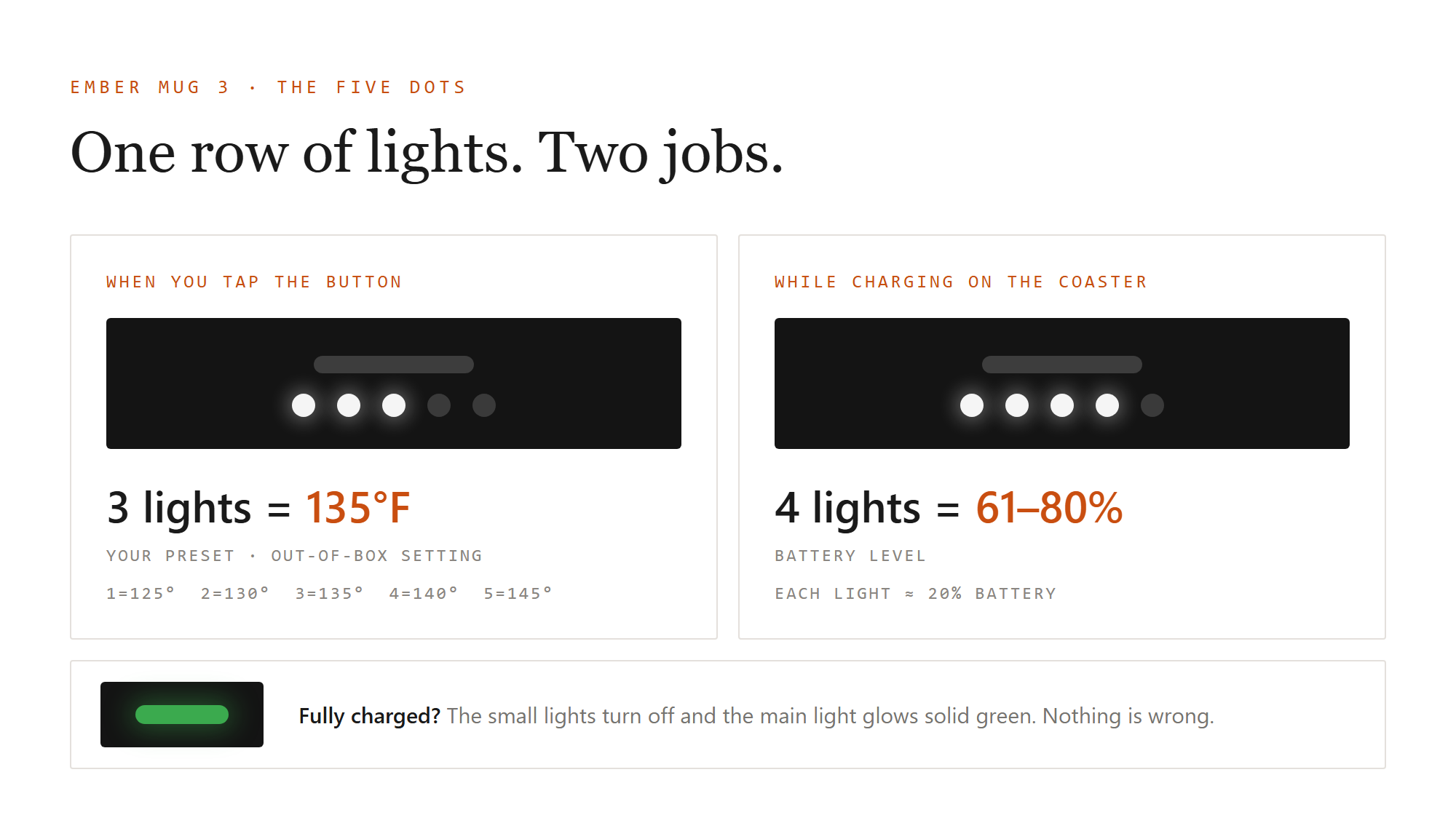
When your mug is fully charged, the small lights turn off and the main light turns solid green. That's normal, not a malfunction.
If your mug is keeping a drink warm while sitting on the coaster, the small lights will continue to show your battery level.
Light looks dim or hard to see?
Make sure your mug is paired with the Ember app and your app is up to date. The app delivers firmware updates automatically, and a quick update usually resolves this. If the light still seems off after updating, reach out to us at [email protected] and we'll help.